Tasks
1 min read
Tasks
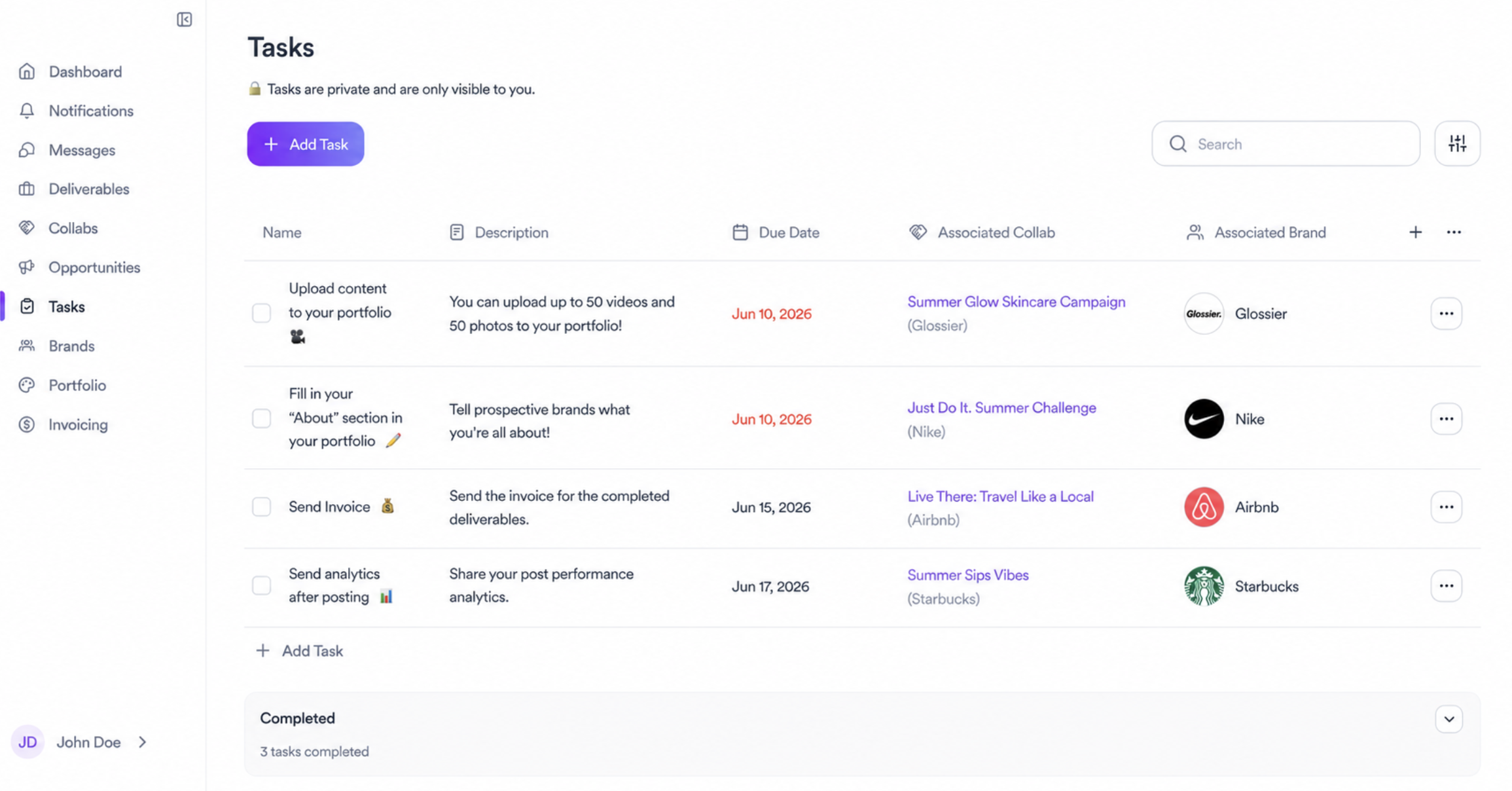
Tasks is your private to-do list inside Brkaway. Everything here is only visible to you. Brands can't see your tasks.
How it works
Each task has a name, an optional description, a due date, and can be linked to a specific collab and brand. This lets you organize your work by partnership and keep track of what's pending across all your collabs at once.
Types of tasks
Some tasks are suggested by Brkaway to help you get started, like completing your portfolio or filling in your About section. Others are specific to a collab, like sending an invoice or sharing analytics after posting. You can also create your own tasks for anything else you need to track.
Adding a task
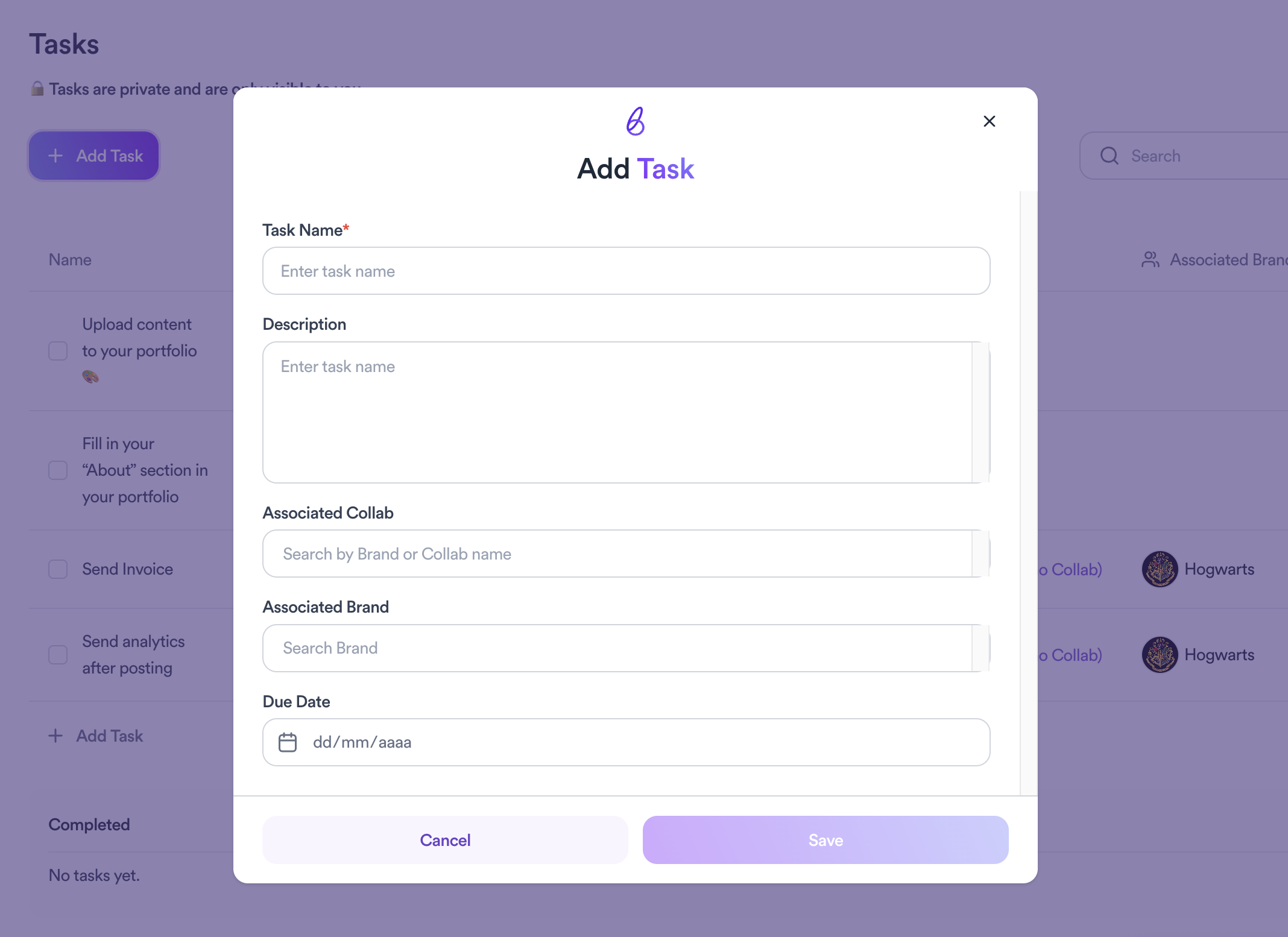
Click Add Task at the top of the page or at the bottom of the list to create a new one. Fill in the name, add a description if needed, set a due date, and link it to a collab or brand if relevant.
Completed tasks
Once you check off a task it moves to the Completed section at the bottom of the page.
Related articles
Need help?
Reach out to the Winclap team and we'll help you shortly.
Was this article helpful?